



Product
⚡ More reliable project generation
Generation no longer gives up when our AI provider hiccups
The first thing we build when you generate a project is its outline - the list of steps you’ll work through. If our AI provider dropped the connection while that was happening, the whole project could fail before you saw anything at all. We now retry automatically, so a temporary blip on their end doesn’t cost you the project.
The queue message goes away when it should
When lots of people generate projects at once, yours joins a queue and you’ll see a “High demand - queued” message. That message used to hang around even after your project had started building. It now clears as soon as generation begins. We also fixed a related case where the loading spinner kept spinning after you answered one of the generator’s questions, when it was actually waiting on you to do something.
Research stays a sensible size
Before writing your project, the generator reads up on the tools you’ll be using. Sometimes it pulled in far more than it needed - enough to hit the AI model’s size limit and eat into the capacity other learners were waiting on. There’s now a cap on how much it can gather. It also checks software version numbers on the tool’s official page instead of digging through big data files, which is both quicker and more accurate.
✏️ Safer project editing
Undo still works when an AI edit fails
If you asked the AI to edit your project and it errored partway, you could end up with changed content and no way to undo it. We now set the undo point the moment anything changes, so there’s always something to fall back on. The chat also tells you what went wrong and flags that you have changes to roll back. Separately, editing only your project’s title or description no longer clears the undo point for your content.
Long code blocks take up less space
Long blocks of code now fold up behind a “Show all N lines” button, both when you’re reading a project and when you’re editing one. If you write projects, you can also now save and publish code blocks longer than 200 lines - that used to throw an error. Clicking into a folded block while editing opens it straight back up.

🫶🏼 Your progress and Work pages
Your write-up follows the order you built things
Your Work page is the write-up of everything you made during a project. It was sorting your tasks by how impressive they looked rather than the order you actually did them, so later work could end up appearing first. It now follows the project’s step order, including for write-ups you’ve already generated. Older hand-written projects keep their original layout.
Finished projects show as finished everywhere
Completing a project could leave it still marked In Progress on Explore or in a Learn List, even though the project page itself said complete. Those lists now update the moment you finish.

🐛 Bug fixes
Swapping out a screenshot in a validation check no longer leaves the Done button disabled.
You can now select and copy callout titles and step headings, which is handy if you want to paste one into Ask
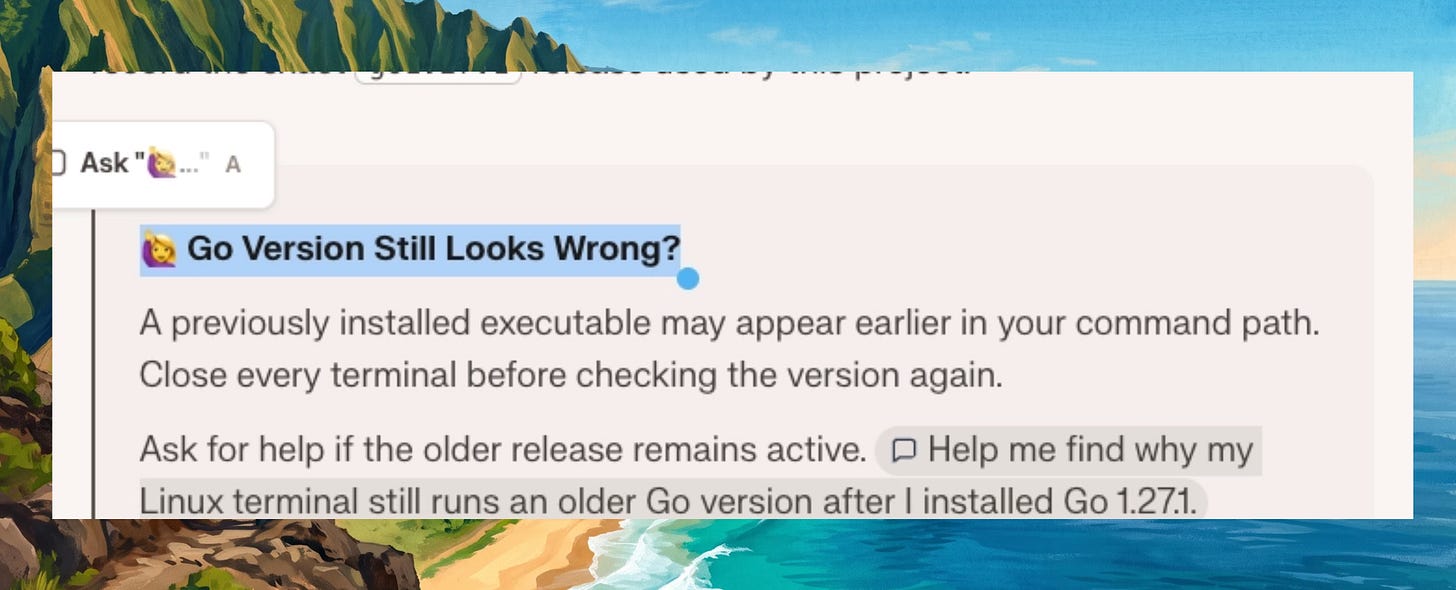
.

Switching between tabs inside a project (like Mac and Windows instructions) no longer makes the spacing jump around.
Checkbox lists inside callouts now have proper spacing underneath them.
If you had NextWork open while we shipped an update, part of the page could fail to load. It now quietly reloads itself once to pick up the new version.
If your sign-in expires while you’re working, autosave now notices instead of retrying with it over and over.
Newly created projects appear in Discord again. Those notifications had stopped when we moved generation onto the new queue.
If copying a project’s images fails, you’ll now see “Couldn’t copy this project” rather than a generic server error.
🚋 In Progress
Here’s what we’ve been building in the background. More on these soon:
A new Explore experience.
Search across projects, people and Learn Lists.
An About page for your portfolio.
A Work page for your portfolio.
Dark mode.
Please continue to share your feedback and feature requests in our community: https://discord.gg/6ZBmqRK88N
Happy learning!
